Development of software versions
Changes in Dynamics R4.15.5.7830
- Added animation output in the results of Unbalanced Response and Transient Response with assemblies’ separation
- Added animation output in the results of Unbalanced Response and Transient Response for the selected response range on the 2D chart
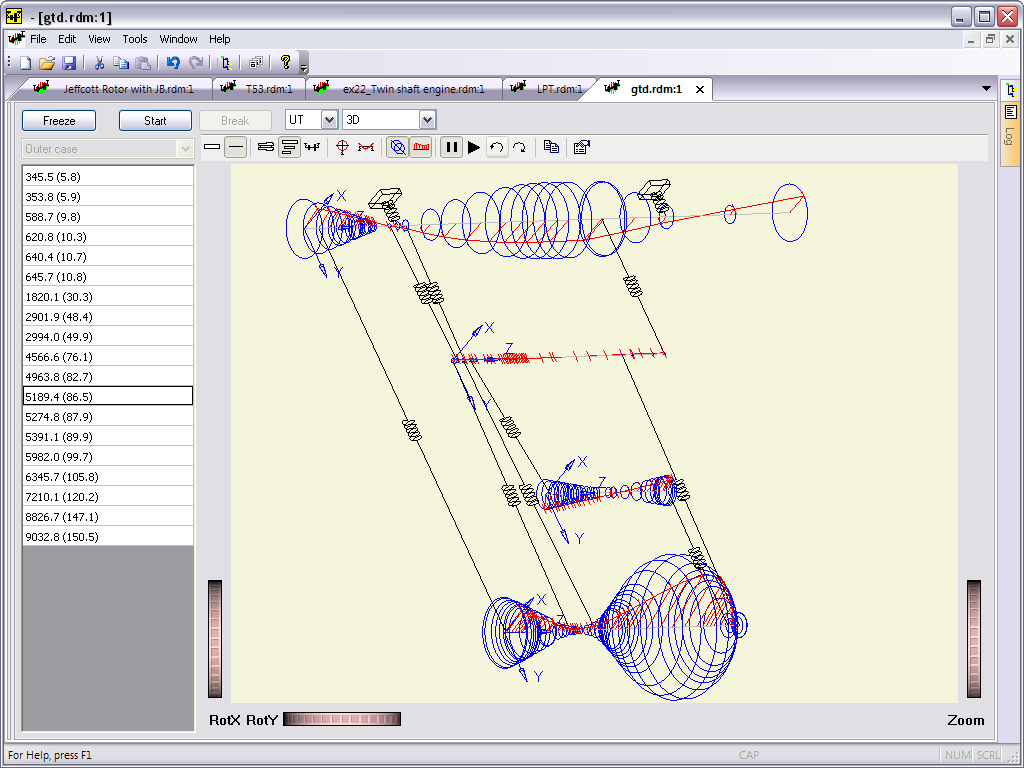
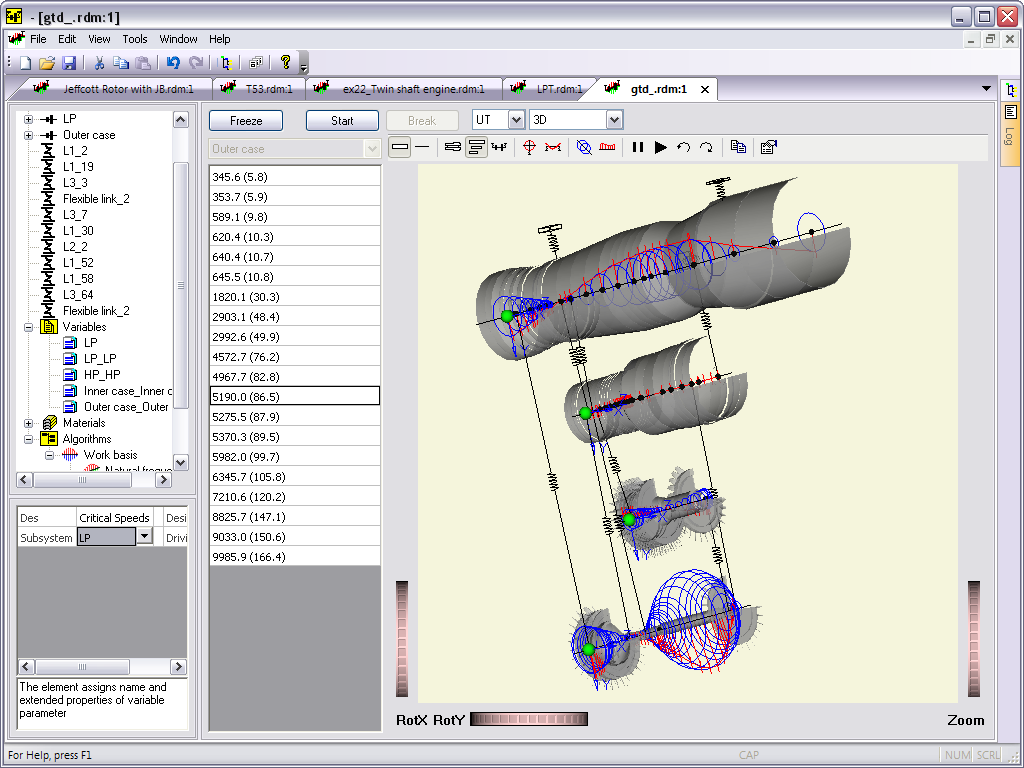
- Added output of 3D forced oscillation shapes for the current point on the Unbalanced Response or Transient Response plots
- Added output of 2D graphs of forced oscillation shapes (absolute values) for the current point on the Unbalanced Response plot
- Added output of forced oscillation shapes in the mode of sorting data by rotation speed (previously in Transient Response there was an output only when output sorting was by integration time)
- Added export/import of MKD beams to the command simulation interface
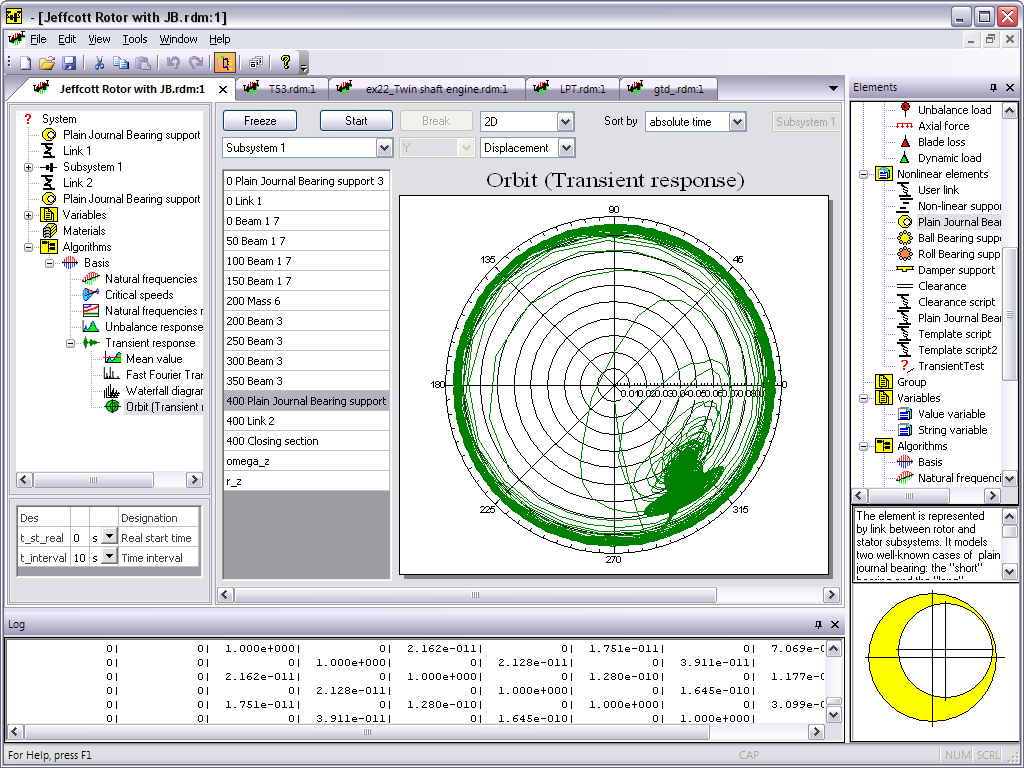
- Added output to the orbit header of time, interval and rotation speed when sorting mode is enabled
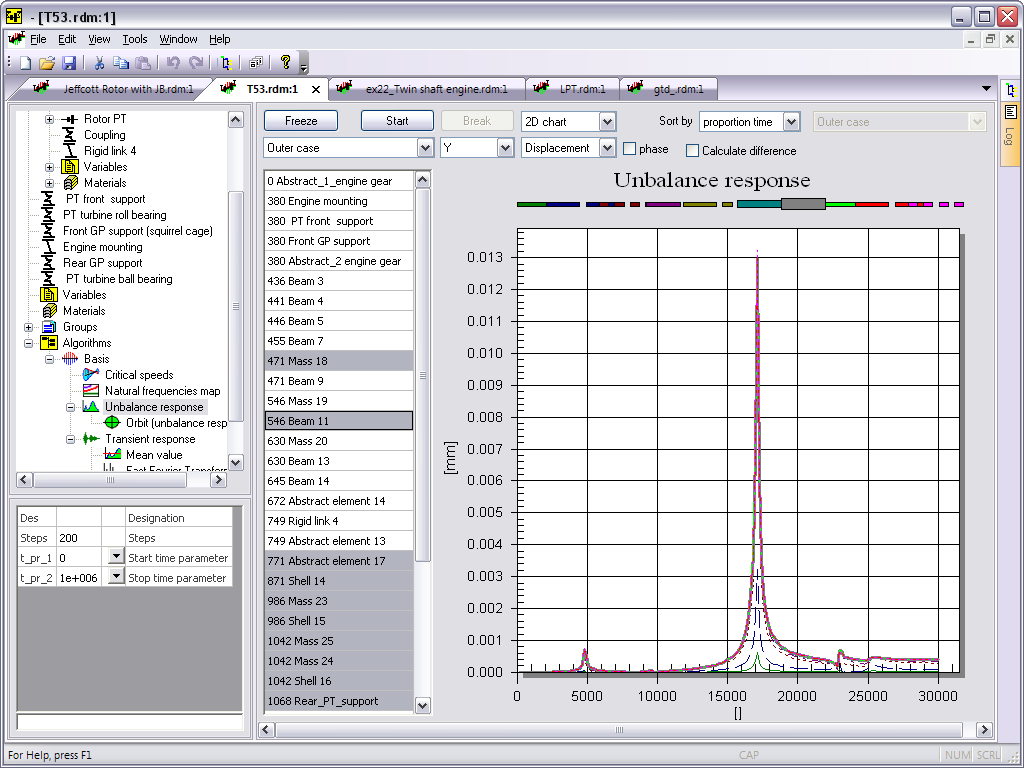
- Added a button to export current curves from Unbalanced Response and Transient Response plots to variables (saving the calculated case for subsequent overlay)
- Added overlay of variables to graphs of Unbalanced Response and Transient Response (if a group of variables in the tree is selected, all variables will be added). Used to overlay the results of other calculation cases or experiments
- Added initialization of lines from the clipboard in the variable editing dialog when pasting tabular data with a number of lines exceeding the number of lines in the variable table
- Added filtering of subsystems in the sorting by rotation speed list (only subsystems with non-zero rotation are left)
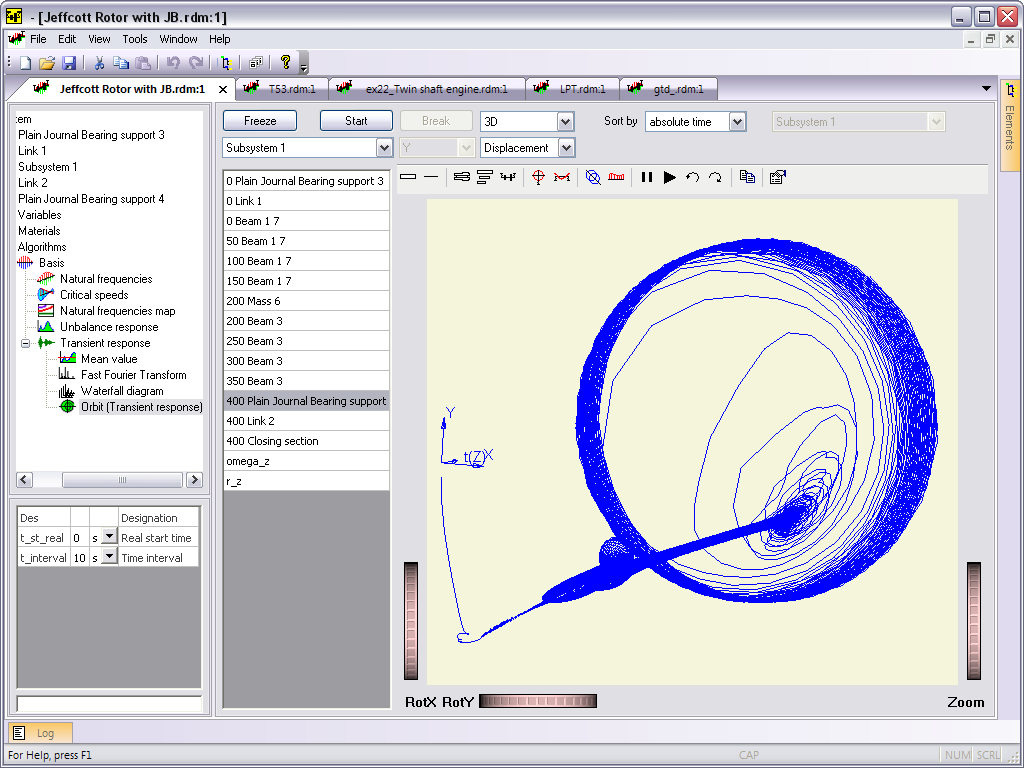
- The functionality of adding an Orbit by the cursor position in the response output (Mean value output as well) has been implemented. If sorting by speed is enabled, the interval is calculated to show 5 cycles at the selected rotation speed
- When add orbit button pressed while holding down the Shift key, the FFT algorithm is added for the current point on the Transient Response
- When adding any Link element, the name of the active Connection Point is used
- Corrected accounting of mass-inertial properties of the MKD beam for the cylinder case
- In the Shaft properties protocol the consideration of the total coefficients of axial and torsional flexibility of the elements [MKD beam] and [Bimetallic beam] were added
- Calculation of potential energies for systems and shapes orthotropic by rotation angle with significant angular deformations in the orthotropic element were fixed
- Fixed animation output in Unbalanced Response results for rotors with multiple subsystems (a section of the shape of first subsystem was repeated)
- Fixed initial orientation of the model when switching to animation mode
- Fixed VRML visualization file offset when assemblies are separated for subsystems with offset along the radial X or Y axes
- Fixed crash when outputting forced oscillation shape in XY mode
- Updated dongle drivers in the installer. Improved compatibility with Windows 11
Changes in Dynamics R4.15.0.7450
- Added Squirrel cage 6DOF link element that models the elastic elements of a flexible support squirrel cage
- Added functionality to identify mode shapes in stability maps
- Added recalculation of API610 zone for output of logarithmic decrement LnDec
- The boundaries of the stability plot are automatically adjusted to the zone from the api610 standard when displaying a map in LocusDR mode
- Added an alternative setting for visualizing the elements [Disk], [Mass], [Generalized element] as beams
- Added setting of offset along the z axis for visualization of the [Mass] and [Foundation mass] elements
- The flexibility matrix in the information dialog of the calculated element properties is displayed for 6 degrees of freedom for both isotropic and orthotropic elements
- Fixed: Hotkeys for moving through the history of active elements (ctrl+shift+z/y) do not work
- Fixed shift of the element's property table when selecting one of the last properties field, if all the properties do not fit in the panel
- Fixed switching of units of measurement for the flexibility matrix in the information dialog of the calculated properties of the element
Changes in Dynamics R4.14.4.7157
- Added the output of summary tables of energy by mode shapes in the algorithms [Basis], [Natural frequencies], [Critical speeds]
- Added output of intermediate results of the analysis during the calculation of the algorithms [Natural Frequencies Map], [Parametric analysis], [Unbalance response], [Transient Response]
- Added a button to disable the visualization of section lines in the 2D view of the model (made by default)
- Added a button to set the cursor by the point index on the chart or the value on the X axis in the [Unbalance response] and [Transient Response] algorithms
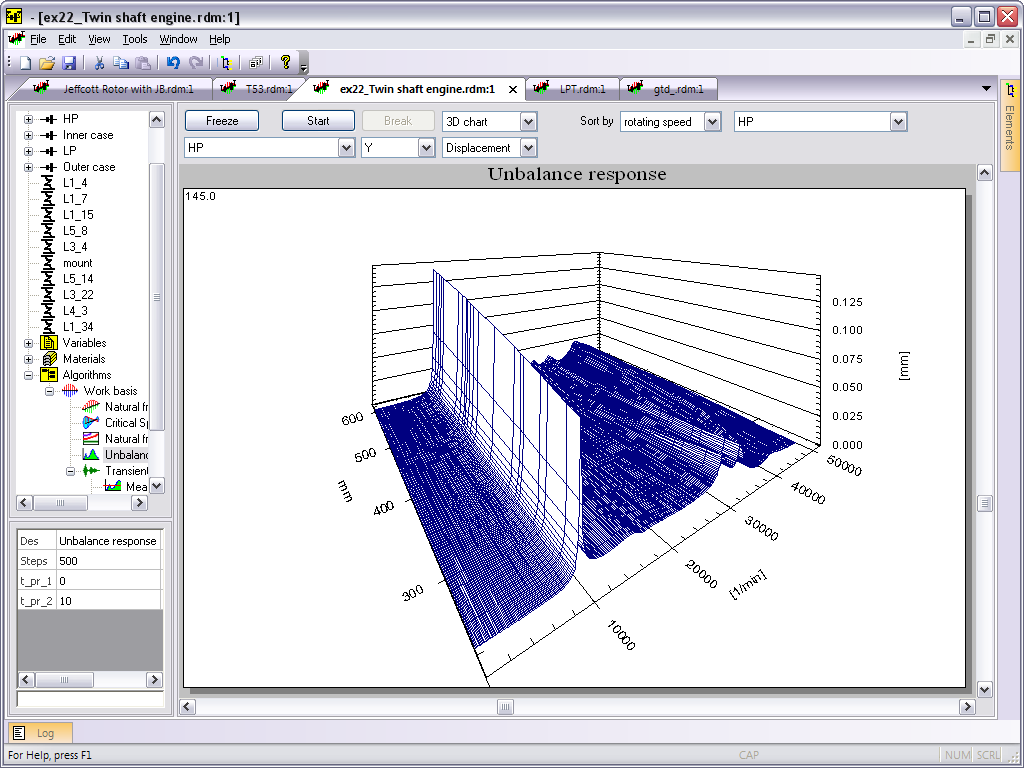
- Changed the 3D output in the algorithm [Unbalance response]
- Added an additional mode [UR_Tor] for displaying torsional vibration mode shapes with display as displacements in the YZ plane
- When a link is selected in the model tree, only links are highlighted on the 2D view of the model when you click LMB
- Fixed a crash when starting a model calculation with a point element ([Unbalance load], [Dynamic load], etc.) installed inside the conical [Shell] element
- Fixed: when adding a subsystem to an assembly with z-offset of COS, a beam in the subsystem was added with z1 and z2 negative (at global COS)
- Fixed: copy of the model in read mode did not open in an additional instance of Dynamics_x64.exe.
Changes in Dynamics R4.14.0.6525
- The interface (pre and post-processing of results) now works only in x64 OS architecture
- Removed the limitation on the number of sections for models calculated from the GUI (previously it was necessary to use the console x64 solver)
- Command simulation interface and protocols now use Python 3
- Accelerated calculation of complex models in non-stationary and parametric analysis
- Added element Elastic ring (Alison's Ring)
- Now the modeshapes are not recalculated if the Basis was previously calculated (accelerated the calculation of all algorithms on complex models)
- Added the functionality to create lists of sensor cross-sections in the results of the [Unbalance response] and [Transient response] algorithms for displaying on a chart with overlaid curves
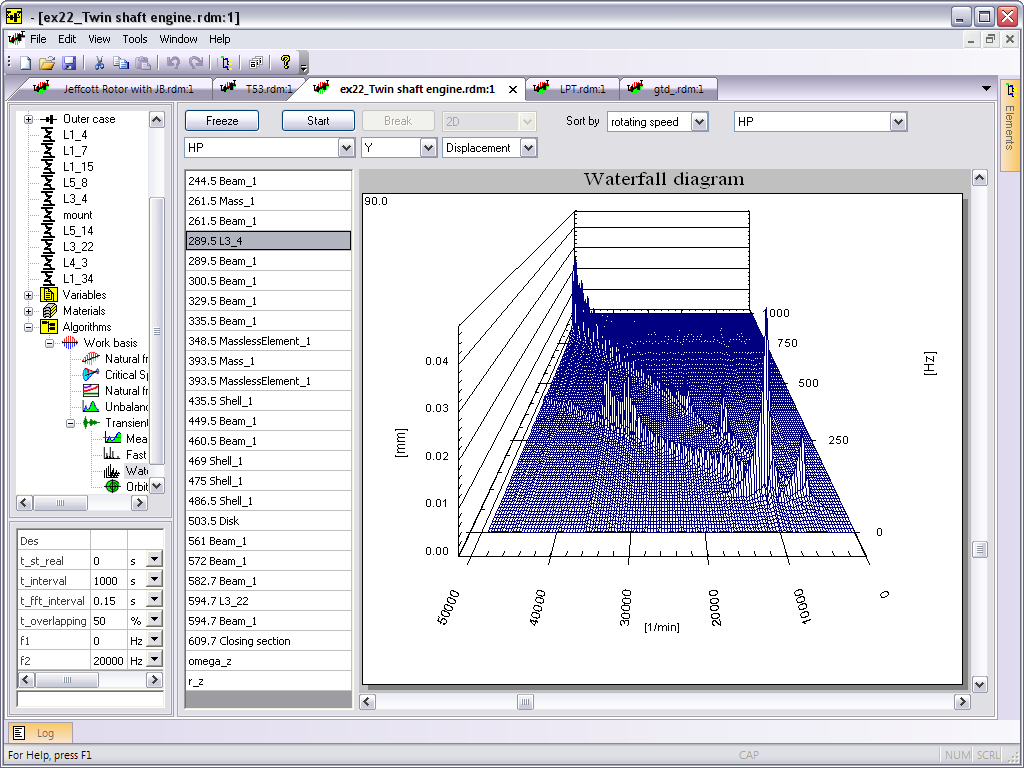
- Added selection of the spectrum in the results of the [Waterfall diagram] algorithm by clicking LMB or arrows on the keyboard
- Added placement of flags with labels on the selected spectrum in the results of the [Waterfall diagram] algorithm by double-clicking LMB
- Added a command for converting [Elastic nonsymmetric link] with parameterized stiffness and damping matrices to the [Link] element for the selected operation mode (rotating speed)
- Added a button to convert the axis from rpm to Hz when sorting by rpm in the results of the [Unbalance response] and [Transient response] algorithms
- Added stopping the calculation in case of an error in the script of the [User Link] element
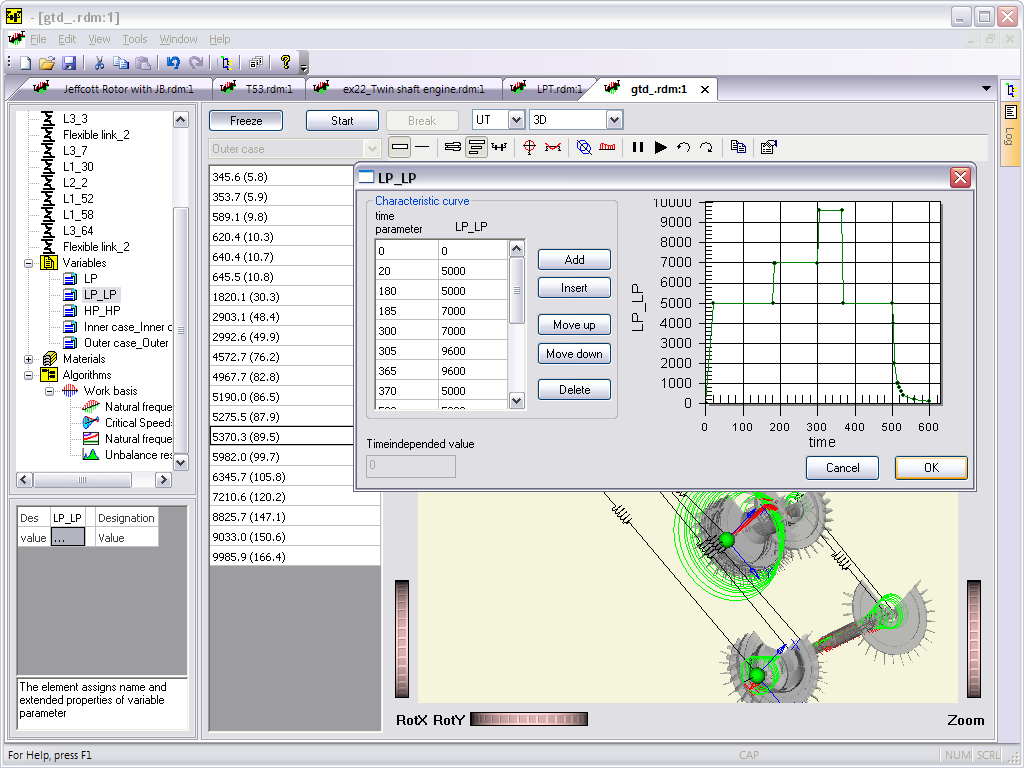
- Improved work of the dialog for editing variables. When you click on cells in the table, a point is marked on the chart.
- Updated module for displaying charts. Visualisation, performance and functionality were improved
- Improved visualization in 3D model view
- Added output of information about the number of sections in the model to the log when the Validate command is run
- Fixed crash during sequential fast switching of sections in post-processing algorithms for non-stationary analysis results
- Fixed crash when canceling Undo action for deleting an algorithm from a model
- Fixed expanding the model to assemblies when switching from algorithms to model
- Fixed:The basis was not automatically recalculated if the variable in the model was changed.
- Fixed loading a model from console with non-english symbols in the model path
- Fixed minor issues when model exporting to a script
- Fixed artifacts from old data during successive calls to the forced vibration modes display dialog
- Fixed reset of zoom and results settings when switching algorithms
- Fixed crash after multiple (about 100) switching of views and algorithms
- Fixed sticking of the selection of an object in the model tree highlighted when dragging elements in case of canceling the operation
- Fixed saving of the protocol template file
Changes in Dynamics R4.13.4.6230
- Added functionality for stiffness and damping calculation for Annular seal in Fluid bearing calculation tool
- Hysteretic friction model has been introduced for AirFoilBearing in Fluid bearing calculation tool
- Improvement of the incremental calculation stability AirFoilBearing
- Memory leak in sequential Transient Response calculations was fixed
Changes in Dynamics R4.13.0.6000
- Added functionality for calculating gas bearings
- Air Foil Bearing
- Cylindrical gas bearing with rigid case
- Multilobe gas bearing with rigid case
- In fluid bearings, the search for an equilibrium position at low rotational speeds has been improved
- In fluid bearings, a button for changing the order of calculation to reverse in rotation speeds has been added
- In the [Transient response] algorithm, the functionality for calculating gyroscopic moments at the stations of the model due to maneuver of the aircraft
- Fixed reset of saved font settings for the charting control when using data post-processing algorithms
- Added saving of selected chart control font size between program restarts
- Fixed export of elements of the type [User Link] to the script of the simulation command interface
- Added support for all types of element [Dynamic load] in the simulation command interface
- Added -run_script command to console solver options
- The program crash when working with the properties of the algorithm [Transient response] after switching the output of the results on models with assemblies has been fixed.
- Fixed memory leak when switching from the [Transient response] algorithm to other algorithms or editing the model and vice versa
- The list of additional design parameters for the element [Plain Journal bearing] has been fixed
Changes in Dynamics R4.12.5.5920
- A selector for visualisation only a particular gear in a large gearset has been added to the interface
- A color and transparency control has been added to the gearset visualisation properties.
- New command - Invert link connection is now available in the link context menu.
- New command [Open submodel] has been added to the Submodel context menu. When you click on the command, the file associated with the submodel opens in a new window.
- A control of the output values format (zero-to-peak, peak-to-peak, mult) was added to the Unbalance response algorithm.
- Functions for working with the [Elastic nonsymmetric link] element type in the nonlinear mode was added to the simulation command interface.
- Checking of the presence at least one enabled unbalance was added to the validation system of the Unbalance response calculation . If there are no unbalances the system throws an Error after the start of the calculation.
- Compilation of the user element script has been added to the Validate call.
- An example of the reactions calculation in the flexible rotor supports was added to the tutorial.
- Added saving font selection settings for titles and axis labels in the graph output component between program restarts
- Added creating a new group when using the Add to last group command when there are no groups in the model
- The pitch angle of each gear is now considered to the calculation of systems with bevel gears. Only the total angle between the shafts was used previously.
- Fixed the error in the modeling of spatial systems which appeared in version 4.12.0. Instead of the right coordinate system, the left one was used.
- Fixed an inaccuracy of the calculation of axial forces in gears with a non-zero helix angle.
- Fixed the Unbalance response algorithm for the case of setting several unbalances applied to one point simultaneously. Only one of them was included into the analysis so far. In the Transient response all of them have been taken into account.
- Fixed display of amplitudes of vibration velocities and vibration accelerations in the algorithm Unbalance response for multi-shaft systems for imbalances
- Fixed crash during removing of a variable in properties of Parameter analysis.
- Removed call to parameter context menu for lists.
- Fixed the reference pictures rendering in Element Results and Fluid bearing calculators dialogs for a screen scale factor more than 100%.
- Fixed crash during the basis calculation with Rfreq=0. Setting Rfreq to 0 is forbidden now.
- Now if the frequency calculation ends up with an error the mode shapes won't be calculated.
- Connecting variables to the length and coordinates parameters of long elements is no longer possible.
- Fixed loading previously created models that include a roll bearing.
- Fixed crash in 12th version that occurred during attempt to add a new section by double click on the model.
- In the Fluid bearing calculation dialog, the template selection when the configuration file is loaded was removed.
- Fixed the TiltingPad calculation procedure in case of thermohydrodynamic problem (calculation did not start).
- Fixed crash that occurred when calling the matrix calculator from the joint stiffness and damping matrices editing dialog with no matrix selected to be sent to the calculator.
- Fixed crash that occurred when adding a Generalized element into the subsystem by double clicking in the "z1-z2" mode.
- Fixed bearing data import for reverse order of the rotation speeds sequence (in the case of speeds sequence order from max to min value)
- Fixed the automatic recalculation of the basis if the basis affecting elements have been enabled / disabled.
- Fixed crash when attempting to add a link to the empty assembly by pressing the "Ctrl+L" hotkey.
- Fixed appearance of duplicate references to the element when added to the group.
- Nonlinear element [Plain Journal bearing support] have been improved for calculation with a negative rotation speed.
- Fixed resetting sorting settings by rotation speed for models with assemblies
- The Examples files folder location has been reverted back.
- Fixed the Examples command in the Help menu. Before the fix this command showed the folder with the last opened configuration file instead of the folder with examples.
Changes in Dynamics R4.12.0.5630
- New element [Shaft misalignment] was added. The element models parallel and angular misalignments of the two coupled shafts rotating at the same speed.
- New module for calculation of stiffness and damping coefficients of journal bearings (DynFB):
- Plain journal bearing
- Axial groove journal bearing
- Offset half journal bearing
- Elliptical and multi lobe journal bearing
- Tapered land journal bearing
- Pressure dam journal bearing
- Tilting pad journal bearing
- New visualisation option that truncate high frequencies was added to the natural frequency map algorithm. When enabled this option sets the maximum limit of the y-axis on the natural frequencies map plot equal to 1250f the maximum rotating speed.
- New keyboard shortcut Ctrl + G appends a new element to the last active group
- New command Create Group was added to the [Groups] context menu. Ctrl+G is the respective keyboard shortcut for this command.
- New button 'Create variable' was added to the matrix editing dialog. Using this button the user can create a new variable and attach it to the selected matrix cell.
- It is possible now to edit a variable attached to a certain cell of the stiffness, damping or flexibility matrix by double clicking on the name of the attached variable.
- 'Create new variable' command was added to the [Variables] context menu. The keyboard shortcut for this command is Ctrl+Shift+V.
- 'Create new variable' command was added to an element context menu. The keyboard shortcut for this command is Ctrl+Shift+V.
- Fixed: unnecessary folding of the model tree after removal of a variable was
- Fixed: the variable editing dialog now can be openned via the double click on the name of the attached variable. It's also possible to reach this dialog via the "Extended properties" command from the variable context menu.
- The [Parametric Analysis] algorithm configuration dialog has changed: the column names have been added to the input variable properties table.
- A double click on a link in the 2D view of the model now shows the edit dialog of the link stiffness and damping matrices.
- The selection of the active elements in the 2D view of the model has been changed. Context-sensitive selection is now available when you press the Ctrl button.
- The behaviour when adding a new subsystem element into the model tree with no active subsystem element selected has been changed.
- If an element is selected in the tree and the user adds a Rotation Speed element to the model, the corresponding dialog box is supressed.
- New keyboard shortcut Ctrl+L creates a [Link] element in the active assembly.
- New keyboard shortcut Ctrl+Shift+L creates a new [Link] element requesting the parent assembly to be specified.
- New keyboard shortcut Shift+L creates a new [Elastic nonsymmetric link] element.
- The new command "Add link" has been added to the [Connection point] element context menu.
- If the element Connection Point is selected in the model tree when adding any link from the elements library the corresponding link will be created already having a connection to the selected Connection Point.
- Fixed: the assembly selection in the results filter of the algorithms [Unbalance response] and [Nonlinear Analysis] now does not reset to the initial value when switching to the model view and than back to the plot.
- Fixed: the software now does not crash when the user adds some new elements to the empty model and deletes them right after.
- A field that allows the user to specify path to the materials database was added.
- The program crash when a cell was selected in an empty table of the bearing data import dialog was fixed.
- The intermediate results of the basis calculation are now wiped out before starting the [Transient Response] calculation. Keeping the intermediate data used to result in stopping the calculation for some complex models and the use of the saved basis was necessary.
- Error "The value is out of range: Visibility 0 <= -1 <= 1 was fixed. The error appeared when changing the colour of the Assembly type structural element.
- The intermediate section insert procedure being invoked by double-clicking on the model has been fixed for the case if the active object is the point element. Previously, the duplication of the point element used to occur.
- The parameters filtering in the element "Mass" when 'Vis as: Disk->Blades Only-> Vis as file' option is selected was fixed.
- The workflow of adding a new section into the conical beam or the shell was fixed. Previously, in this case the geometry settings were reset and the element used to degenerate to a cylindrical beam one.
- New keyboard shortcut Ctrl + LMB (Ctrl + left mouse button) has been added. This action creates an element whose dimensions are retrieved from the current position of the cursor instead of dimensions of the previous element.
- The rendering of the arrows indicating the gravity centrers positions of the assemblies and the subsystems having an offset along z axis was fixed.
Changes in Dynamics R4.11.0.5360
- New element [Beam bimet.] was added. Allows to adjust different material properties in the radial direction.
- New element [Beam MKD] was added. Allows to define different beam diameters for stiffness and mass-inertia properties.
- Dramatically optimized calculation of nonlinear response with [User Link] Python script element algorithms
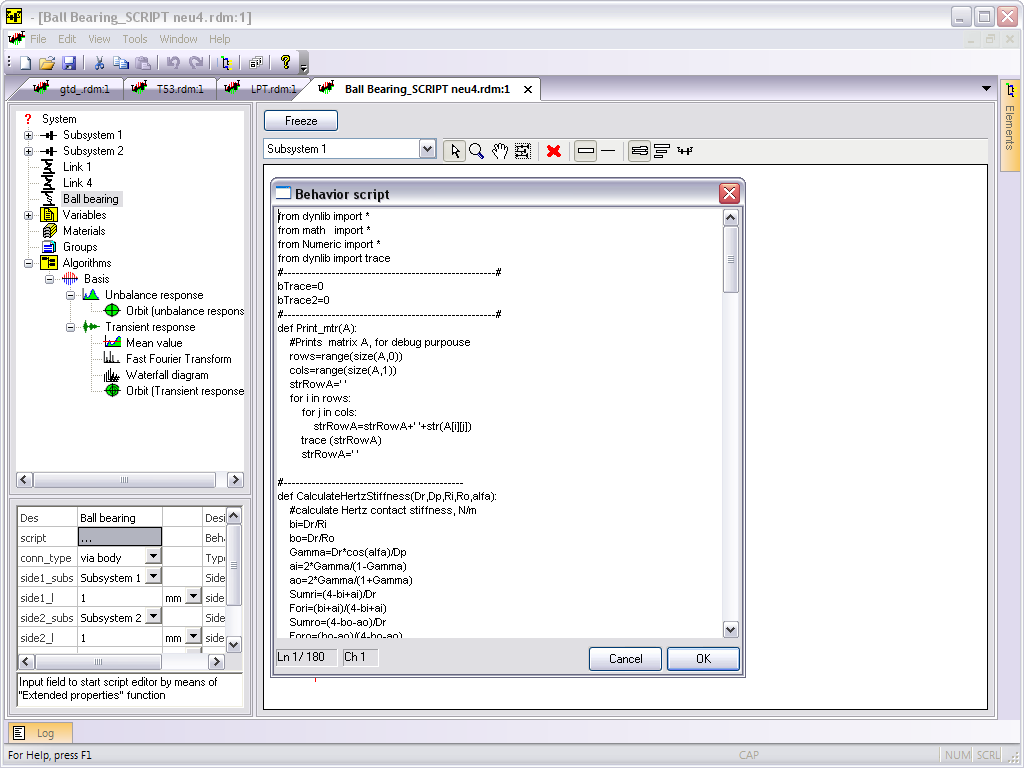
- Template script and example of nonlinear element script -Plain Journal Bearing Script were added to Elements library panel
- Significantly improved performance of transient response calculation for linear rotor systems
- Addition of variables to the model were improved
- Function for removing the set of selected values in Variable dialog was added
- Ratio for copied to clipboard orbits charts was changed to 1x1
- Initialization of the table in Matrix calculator dialog was added while calling from stiffness or flexibility matrix dialog
- Visualization of the active unbalance load element was changed
- Crash in Natural Frequencies algorithm was fixed for parameterized model with basis recalculation at each step and changes in number of basis frequencies between operating modes
- Working of context menu commands [Copy link settings] and [Paste link connection] was fixed for links with non-default units in connection settings
- Reset of some elements parameters while coping between the models was fixed
- Changes in Dynamics R4.10.6.5297 changes:
- Crash in Waterfall diagram in previous build was fixed
- Copy of elements were fixed
- Integration with Python is updated to 2.7.14 version
- Guradant dongle driver is updated
- Guardant Net server for floating license is updated
Changes in Dynamics R4.10.6.5163
- Analytical stiffness and damping coefficients output for [Plain Journal Bearing] and [Damper support] were added (rotating coordinate system)
- Addition of Variables group inside other Variable groups were added. Double click the Variables node in the Elements and Algorithms library while pressing Ctrl key. Or select Variables in model tree (active element)
- User can manage material warnings in System object properties
- User can manage TODO: warnings in System object properties
- Import of nonzero columns only was added into Import bearing from table dialog]
- Next improvements for model review was added:
- Command for switching [Group] status was added to context menu
- Dbl click on [Link], [Elastic nonsymmetric link], [Generalized element] element in the model tree will open matrix dialog
- Dbl click on [Elastic nonsymmetric link] element with parametrized stiffness or damping properties in the model tree will open [Import bearing from table dialog]
- Dbl click on [Squirrel Cage] element in the model tree will open Squirrel Cage extended properties dialog
- Dbl click on [User link] element in the model tree will open script dialog
- Dbl click on [Variable] element in the model tree will open dialog with input function
- Dbl click on [Axial load] element in the model tree will open dialog with Euler critical load calculation dialog
- Issue with Unbalance Response calculation was fixed. Very high vibrations was simulated for systems with nonzero unbalance phase. Unbalance phase parameter was mixed with moment unbalance. Issue was only in 4.10.5.4810 version.
- Issue with nonlinear damper support calculation was fixed. The solution used to diverge for systems with long damper and pi-film.
- Appearing of the message "Encountered an improper argument" while selecting of Algorithms node was fixed
- Issue with filling of Kxx variable while replacing of existing link with data from [Import bearing from table dialog] was fixed
- Incorrect repeating load from text file in [Import bearing from table dialog] was fixed
- Fixed import to existing link if it has no connected variables or amount of variables is less than 8
Changes in Dynamics R4.10.5
- Added element [Axial load]. It allows you to simulate the change in frequency for bending vibration modes
- Added "modal" and "nonlinear" modes selection in [Elastic non-symmetric link] element. In the "nonlinear", the user can receive the output reactions of this type of link
- Option [misalignment switch] has been added in the "nonlinear" mode of [Elastic non-symmetric link] element. Specify the static displacement of the bearing housing relative to the line of supports centers
- Added a dialog with calculated data output by the finite element (mass-inertial characteristics and compliance matrix)
- Added shortcuts for multiplication and division of the current parameter
- Added. When in edit mode [length] adding of a new element is produced with the parameters of the last section of the previous item
- Added color selection of active [Gear Set] element
- Significantly improved sorting algorithm Natural Frequencies Map (Campbell diagram)
- The elements transparency and color settings were amended. Menu colors transferred to a higher level.
- Added HowTo section on simulation the effects due to axial load (element [Axial load])
- Added section HowTo simulation of asynchronous excitation in the algorithm [Unbalance response]
- Added section HowTo automate input tabular data to create a model using scripts
- Added new help materials
- Fixed elements designation of the matrix stiffness, damping and compliance. Replaced by rows and columns. The order of elements in the matrix remains the same
- Fixed output to a Log values of vibration of the current point on the graph
- Fixed the reset color settings when converting beams into the shell, or vice versa.
- Fixed conversion conical shell with a constant inner diameter in the beam
- Fixed discontinuity of subsystem elements if z2 value is less than z1 in an line element
- Fixed resizing z2coordinate of the left line element when changing z1 coordinate of right element
- Fixed transfer [Assembly], [Subsystems], [Links] to another [Assembly]. Active object is copied (corresponding to Copy + Paste). When holding the Shift key delete of the object occurs in the old location (corresponds to Cut + Paste)
- Fixed window rescale while adding an element to an empty model
- Fixed crash while multiple switching between mode-shapes in complex models with a large number of sections. Fixed a memory leak when using 3D display of the model when switching mode-shapes.
- Fixed a crash when calculating with [Dynamic load] element located outside the shaft or housing subsystem
Changes in Dynamics R4.10
- The new nonlinear element – [Crack] was added
- The new nonlinear element – [Floating Ring Seal] was added
- The new element – [ Mass pedestal] was added. Allows to setup mass properties according to DOF
- Multiple output for XY and XYZ were added to [Unbalance Response] and [Transient Response] algorithms
- Edit of coordinate in Add section dialog was fixed
- Synchronization of element designation according it's type was added to functionality of Beam to Shell replacement
- [Update element names] command was added to shaft context menu
- Mass and inertia properties output for selected structure element was added to model 2D view
- Quick jump to referenced section in the link parameters with [via body] connection was fixed.
- Crash in the end of calculation with clear option in case of previously loaded results was fixed
- Crash on switching to Simple 3D view in Animation mode was fixed. [Unbalance response] and [Transient response] algorithm
- Crash of [Parameter analysis]calculation of [Natural frequencies] type without basis recalculation was fixed
- Crash on [=] button pressing in variable Extended properties dialog in case of empty function table was fixed
- Crash on context menu command [Global coordinates] for link with connection only to side2 was fixed
- Crash while repeated [Parameter analysis] calculation with switching in previously calculated results was fixed
Changes in Dynamics R4.9
- The new element – [ Squirrel cage link] was added. Allows parametric study in order to select its parameters according to required stiffness and strength
- Forced oscillations mode output in the 2D window was added. Allows filtration on by assemblies and submodels
- Multiplications output for selected cursor position in the FFT data post processing algorithm was added
- In FFT spectrums and Waterfalls algorithms choosing of window function was added
- Output for energy by links, shafts vs frequency was added to protocol functionality
- Output for accepted frequencies region according API610 was added to Locus diagram
- Functionality for variables overlay on the parametric maps was added
- In the [Import bearing from table] dialog functionality of stiffness and damping import from text files was added
- Additional visualization was added for [DynamicLoad] element. In the [General], [Impulse], [Step] modes load is shown as an arrow in accordance with input values. In [Unbalance] mode load is shown as unbalance load.
- Output of AF and SM in accordance with API684 in [Unbalance response] algorithm was added
- Labels output for max values was added in [Unbalance response] algorithm
- Reactions are shown now with selecting of [Internal] sections in the [Link] elements with force output parameter
- Auto addition of the [+] or [-] to the group designation in dependence of switch state was added
- Series style was fixed in [Unbalance response] and [Transient response] charts while multisection selection
- Materials from database parameters validation was added
- Program crash while editing of newly added [Seismic excitation] element was fixed
- Crash after inserting into the table for new links in [Import bearing from table] dialog was fixed
Changes in Dynamics R4.8.8
- Autodivision of cylindrical shells at assigning point elements and [cs] was added
- Command to launch validation of the model initial data is appended into the context menu of the model tree
- Possibility to obtain the interpolated values of the function and the argument was added into the dialog of the variable editing
- Transition to linked objects by double click on the parameter name (1st column, transition to variables, links points, subsystems, etc.) was added
- Dialog with simultaneous output of stiffness and damping matrix by double click on the parameter name ([stiff_matrix] or [damp_matrix]) or in the context element menu was appended
- Function to insert additional section into the elements with length by double click is added.
- The option in [Assembly] with setting of visibility scope of links connection list was added (local - on default, typical behavior, parent – links points are visible at a level higher, global – all links points are visible)
- Commands to convert beams into shells and backwards were added
- Command to assign color of the [Custom] element by a user was added into the context menu of the element visualization settings
- Commands to copy and insert of settings of links attachment and sizes were added into the context menu
- Commands to copy and attachment of Connection point to links were appended into the context menu of the active element
- The command [Add to last group] was appended into context menu. Addition of point elements into the last used group.
- The command [Get global coordinates] to output the coordinates of the current element in global coordinate system into log was added in the context menu
- Saving of last data buffer at stop of [Nonlinear analysis] calculation in the regime [process_file_save\step save and clear] was added
- Possibility to move graph area after zoom using a scroll bar was added
- False calculation of the algorithm of energy distribution [Critical speeds] at links in the models with parameterized elements of [Nonsymmetric link] was rectified
- The program hang at [Critical speeds] algorithm at incorrectly built models at absence of the algorithm convergence was rectified
- The program crash at work with postprocessing algorithm [Angular contact bearings] was corrected. It had fallen at deletion of points of history of time stamps
- Package output of bearing data was corrected. Simultaneous output into data clipboard at rolling elements for several time stamps. Data only at last point were output
- Error in functionality of 3D model display, sometimes leading to the program fall at the model rotation by mouse was rectified
- Other minor bugs with interface were fixed
- New materials were added in Help system
Changes in Dynamics R4.8.4
- The new element – [Annular Seal] was added. Allows to calculate rotor systems with such seals dynamics behavior in nonlinear statement
- The new element – [Torque Load] was added. Allows defining dynamic variations of the torque moment
- The new element – [Shaft Stepping] was added. Takes into account additional torsional flexibility due to effect of penetration
- Functionality for conversion of [Rigid link] elements was added
- Rotation velocity [Velocity (Vr)] and rotation acceleration [Acceleration (Ar)] output were added to [Transient response] results browser
- [Speed] and [Acceleration] output was renamed in Unbalance Response and Transient Response to [Velocity (Vt)] and [Acceleration (At)]
- Other minor interface improvements were added
- Element [Mass] visualization parameters were taken into account in subsystem separate view
- Crash was fixed in the [Rolling bearing info] algorithm in case of calculation with empty selection for the Side1 combobox
- Absence of properties visualization when its selecting in group element was fixed
- Element [Dynamics load] in [unbalance] mode was fixed. Initial phase of element differs from the rotating phase on 90 degree
- New help document was added in menu [Help\ How To...]
- Other minor bugs with interface were fixed
- New materials were added in Help system
Changes in Dynamics R4.8
- The new element – [Seismic excitation]- was added [pdf]Eng (1.4 Mb)
- Torsion flexibility was added to the [Coupling] element
- The element [Unbalanced magnetic pull] was added
- There is a possibility to set orthotropic flexibility for non-rotating subsystems in the [Coupling] element
- Dialog of bearings import to model from the table data was added
- Output of resultant values of displacement vectors, forces in the [Transient response] algorithm were added
- Export to script of the models including the elements [Coupling] and [Trunnion coupling] was added
- Sorting of assemblies and submodels in the model tree (context menu) was added
- Additional views are appended to display the mode shapes at pressing the Front View and Side View buttons
- Damping Ratio output was added to the list of frequencies for the [Natural frequencies] and [Critical speeds] algorithms
- Problems with copying of subsystems with the connection points inside the model were fixed. Links connection had worked incorrectly.
- Problems with the model calculation after using the [Restart submodels] menu command were solved.
- Overwriting of *.trs file while saving model is prohibited
- The program crash at Undo for deleting of the element from Groups was eliminated
- The program crash with five degrees of freedom Angular contact bearing with geometry corresponding to the negative or zero clearance was eliminated
- Other minor bugs with interface were fixed
- New materials were added in Help system
Changes in Dynamics R4.7
- Appended new nonlinear [Radial-angular ball bearing] (2-point contact, 5 degree of freedom)
- Consideration of the temperature state for ball bearings was added
- Consideration of the clearance changes due to mounting fits for ball bearings was added
- Data post processing algorithm (Bearing Info) for ball bearing state analyzing was added
- Appended new nonlinear element [Dry Bush]
- Stiffness and damping output was added for several nonlinear elements (ball bearing, Roll bearing, Damper, Plain Journal Bearing)
- Buttons for charts exporting into clipboard were added.
- Settings for charts in Unbalance Response and Transient Response are memorized while sections selection changing
- Buttons for charts settings save and restore between program launches was added.
- Buttons for chart image copy to the last active open Microsoft Word instance was added (installed Active Python 2.7 is needed)
- Matrix Calculator was added to Service menu
- Buttons for charts legend control were added.
- Other minor bugs with interface were fixed
- New materials were added in Help system
Changes in Dynamics R4.6.7
- Check of influence of model change on basis by a user was added. Program rarer recalculates basis automatically
- The button of the [Natural frequencies] algorithm calculation was added for time parameter determined according to the cursor position on the Natural frequency map
- Calculation of post processing algorithm “Peak-to-peak” for systems with weight was corrected. Results output was improper when all the signal points were in negative areas
- Computation of basis for multiple-elements models was added. Console solver version for x64 operating system was added
- Warning before animation or 3D-plot was added for [Transient response]
- Static displacement exclusion was added at calculation of post processing “root-mean-square value”
- Output of parameters of one section of rotor system model according to parameters of the other section in the algorithm [Transient response] is added
- Some mistakes in interface were corrected
- New materials were added in Help
Changes in Dynamics R4.6.5
- Visualization of the [Disk], [Mass], [Generalized element] elements was improved – extended features for visualization and possibility to load 3D model from external file were added (VRML format). Parameters influence only the model visualization
- Precision in protocol of calculated moments of inertia for beams and shells was changed to 1e-6 kg*m2
- The parameter – data output scaling factor was added to the Mean Value algorithm. It is suitable for use in calculation of transient regimes for the linear system, in Peak-to-Peak regime (factor=0.5) for comparison with unbalanced behavior
- Visualization in 2D model editing was improved. At selection in the model tree its subsystems are highlighted in blue color. At selection of the link the subsystems that added to it are highlighted
- Positions deletion in the dialog of materials database editing was improved. It became possible to delete several notes at the same time not only using “Delete”-key, but also pressing [Delete] button in the dialog
- The function of assemblies’ expansion was modified. Now expansion is stepped, it depends on the level of assemblies nesting into models
- The button of output of active assembly contents in 2D and 3D regimes was added
- The button of calling the dialog of the root object choice to display the model in 2D and 3D regimes was added. It works as a filter in the “Spaced subsystems”, “Expand assemblies”, “Select structure to view” regimes
- Buttons behavior in the dialog of materials database editing was changed. The [Load…] button now leads to materials database replacement by information from the external file. The [Add…] button adds notes to those existing in database from external file
- The storing place of the materials database was changed to the user’s folder. Before it was necessary to give additional rights on recording into installation folder
- The parameter [cs] description was corrected. Autoseparation is applied not only to cylindrical, but also to conic beams
- Description of the [Shell] and [Shell with flange] elements were corrected. In calculations the given diameters are used as the middle ones, not outer ones
- At drawing of point masses, rotating speeds, couplings the additional contours suiting the given in characteristics colour are drawn to ease determination of the point
element belonging on 2D-view.
- Some mistakes in interface were corrected
- New materials were added into Help
New features in Dynamics R4.6
- Appended new nonlinear element – Active magnetic bearing
- Support for Core I7 processor family was added
- Up to 20% performance improvement in algorithms for basis calculation
- Appended auto save function
- Zooming by mouse wheel in 2D window was added
- Working regimes border lines of the research object was added on Natural frequencies map
- Program crash while file saving on the disc with FAT32 was fixed
- Fixed: The data post processing algorithms was not working with the nonlinear results loaded from the file
- Fixed: crash while basis calculation with zero range frequencies
- Fixed: crash while deleting subsystem with connection points (if any link is connected to that point)
New features in Dynamics R4.5
- Trunnion coupling element was added
- Orthogonalyty matrix checking with warnings were added
- Crash while drug and drop operation for algorithms was fixed
- Initial damping in Transient response was changed from linear dependence to parabolic dependence
- Help system was actualized with user guide. Topics on crosscoupling effects were added
- Information on simulation command script interface were added. Reference help system on script functions.
- Orthogonality matrix prints with corresponding frequencies in the protocol
- Protocol template loading was fixed
- Appended choosing theme for protocol output
- Phase of unbalances is now taken into account in visualisation
- Waterfall diagram visualisation was improved
- Showing current values was added to 2D graphics. Guidelines were added
- 3D view in transient response shows data now from zero point (without initial time)
- Automatic reload on submodel appending was added
- Saving model description, title, author from [System] properties was added
New features in Dynamics R4.4
- Additional type [unbalance] was appended to Dynamic Load element. It’s allows to model nonsynchronous excitation by setting of unbalance load and rotation factor. (for example oil inside compressor drum).
- In addition to button “Separate all subsystems” new function for taking apart different assemblies was appended.
- Additional orthogonalization of multiple same modeshapes was added. The low orthogonality of calculated modeshapes had appeared in some spatial models.
- Width of the expanding box for the list of connection points was extended.
- Visualization of Natural Frequency Map, Stability Map was improved. In old versions there was black colored lines in maps with big amount of subsets.
- Functionality of saving to disk and loading from files was added to Materials Edit Data Base dialog.
- Output of Logarithmic Decrement and Damping Ratio was added to table view of selected modeshape (Natural Frequencies and Critical Speeds algorithms). Such output was added to Frequency Summary table in protocol.
- Progress bar of current calculation state was added to some algorithms(Natural Frequencies Map, Parametric Maps, Unbalance response, Transient response).
- Zero complex component was removed from table view of selected mode shape in Basis algorithm.
- Coping of Variables group and separate variables between assemblies and models was added. Appending Variables group from the elements and algorithms library was added.
- Coping of Materials group and separate materials between models was added.
- Algorithms coping between models were added.
- File name outputting of calculated model was added to log window. Allows to differentiate results in case of working with several models simultaneously.
- List of the one level parameters(simultaneous parameters changing) was added to axis’s labels in Parametric Maps.
- Unicode support was improved. It is possible now to output protocol for models with elements names in letters other than Latin and Cyrillic (for example Asian languages).
- Converting to English units is extended.
- System of model input validation was improved.
- Data output for frequency type was changed from rad/sec to cycles/min in Parametric Maps.
- Locus chart was added. (decrements versus modeshapes frequencies)
- Calculation and interface bugs were fixed
New features of Dynamics R4.3
- New command modeling interface (Python language) was added (appends new possibilities in model parametric and variant calculations, allows to compose import converters)
- Added extended visualization for a models (coloring and transparency features extended, see context menu in model tree and elements propeties)
- Parametric maps was improved (visualization, logarithmic input steps)
- Some bugs with energy calculation was fixed (affects models with near critical damping and links with nonsymmetrical matrixes)
- Speed of calculation was improved
- New examples has appeared in the tutorial
- Help system was extended
New features of Dynamics R4.2
- The model editor functionalities are extended and improved
- The new multi-level model architecture includes assemblies, submodels and subsystems
- The new algorithm to solve eigenvalue problems in terms of global flexibility matrix obtained for multilevel, multilinked and space systems is realized
- The code includes new capabilities for 1-D and 2-D parametric studies by verifying the model parameters, speed, dimensions, location, stiffness, damping, load, etc.
- The Critical Speed Map option is extended and can show relations of model parameters and critical speeds
- An additional stability map shows the logarithmic decrement versus the rotation speed
- The project description has additional parameters
- An additional element describes link points of subsystems and elements
- An additional link is described with non-symmetric stiffness and damping matrixes
- A super-elements prepared in FEM programs are possible to include in dynamic models
- The set of algorithms for multi-shaft systems analysis is amended with gear transmission block for cylindrical, conical or hypoid gears
- The reference system is amended with additional information
- The education examples library is extended
- The Undo/Redo function is added
- Different systems of units may be used, SI, or GB
- The [Roll Bearing Support] and [Ball Bearing Support] elements are modified
New features of Dynamics R4.1
- Parametric analysis using [Variables] mode
- New form of stiffness, flexibility and damping coefficients input (matrix input)
- Saving of transient data. Loading of saved data
- Automatic basis recalculation
- Memory efficiency improved
- [User Variables] in transient response
- Real time Integrator Statistics output
- A general form beam element is added
- A general form stiff link element is added
Dynamics R4.0 is a result of the Dynamics R3.1 improvement
- The improved code structure allows adopting and development matching specific user’s orders
- New algorithm of Natural Frequencies and Modes analysis
- New user interface
- 3-D location of subsystems, co-axial, or misaligned, or crossing
- Analysis of natural or violated coupled bending-torsion-axial vibrations in rotating subsystem
- New elements for simulation of linear multi-shaft rotor systems
- Solution of non-linear system proble
- A wide range of non-linear elements
- New steady and unsteady loads, unbalance, impact, harmonic, periodic, weight, axial load, etc.
- Parametric study on of the model parameters
- Consideration of internal and structure frictions
- Dynamics stability evaluation
- Specific adoptive methods for the non-linear solutions optimize calculation speed and accuracy
- Compatibility with the previous DYNAMICS models
- Creation of a unified material database
- Customizable formats of protocols and reports on input data and calculation results
|
|
 ROTOR DYNAMICS OF TURBOMACHINERY